
In December 2015, we introduced the second redesign of Train Corse. The website already adapted to phones and tablets. Today marks another step: a renewed visual identity, reworked sections and more room for discovery. The purpose remains the same: to help you plan your journey, while encouraging you to explore what lies beyond the platform.
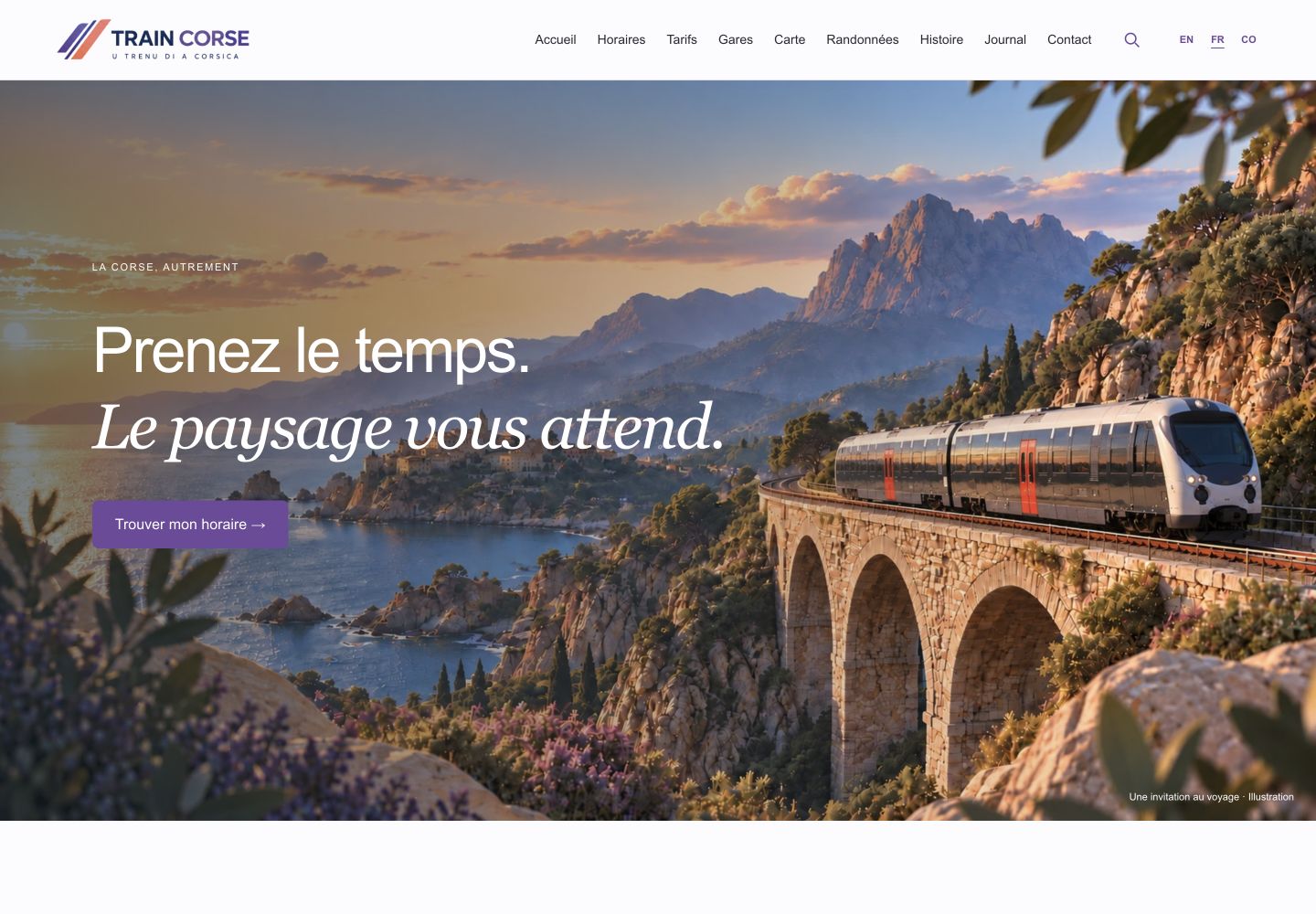
A visual identity that travels with you
The change is visible from the home page. The new logo combines purple and coral lines suggesting forward movement. Purple carries through to buttons, links and navigation cues, while light backgrounds and lavender tones give the pages breathing room. Large headings, rounded cards and curved section dividers connect the different parts of the site, from fares to walking routes.
A large illustration now opens the home page with an invitation to slow down and enjoy the scenery. Further down, photographs, video and links to the main sections continue that atmosphere. Practical information remains central, alongside the landscapes and memories of the island’s railway.
A home page that invites you to take your time
The new home page brings together practical tools, Journal articles and invitations to explore stations, history and walking routes. Photographs and a video of railway landscapes offer another starting point: a journey that begins with curiosity. Frequently asked questions remain easy to reach, and the contact form lets you send feedback or a suggestion about the website.
Your journey starts with a question
When is the next train? How much does the journey cost? Where should you get off for a walk? What is the story behind that old station? These are the questions that shaped the new Train Corse. The redesign goes beyond a new look: it connects timetables, stations, landscapes and history to help you build your own journey, one stop at a time.
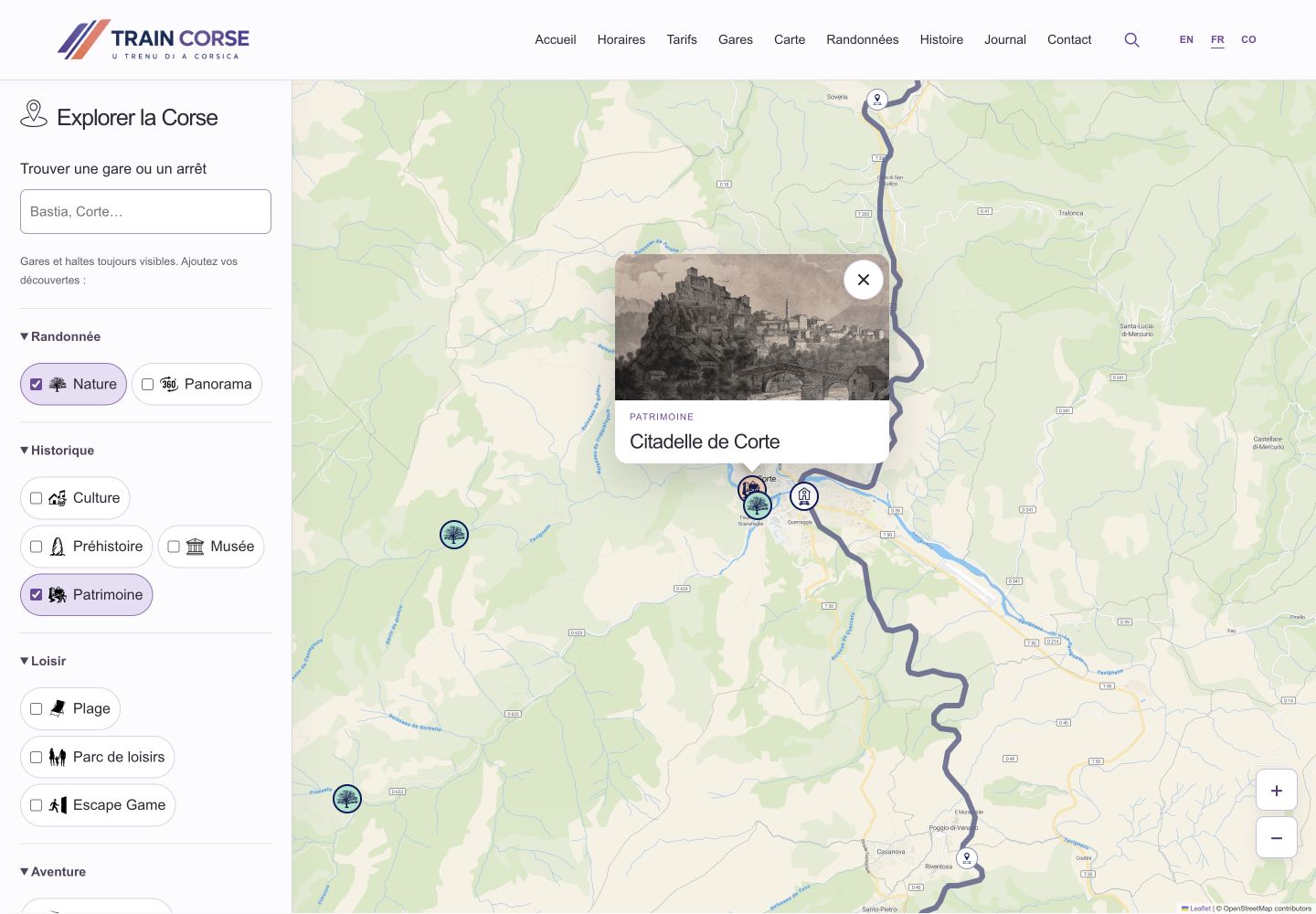
A map for exploring as well as finding your way
In the Map section, search directly for a station or stop by name. Type “Corte” and select the result: the map zooms to the stop and opens its panel. Stations and stops remain visible, while filters let you add places to explore from the available categories. You choose the information that interests you instead of displaying everything at once. It offers another way to plan a stopover: begin with the railway network, then look at what lies around it.
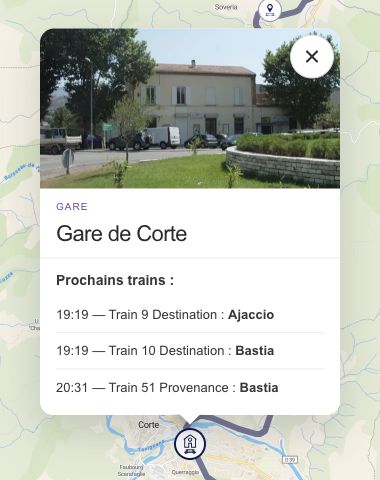
What is the next train at this stop?
Tap a station or stop on the map to open its information panel. Upcoming services appear with their time, train number and destination or origin. At Ajaccio, for example, the distinction between arriving and departing trains helps you read the list without confusing the two directions. A compact layout on phones makes it easier to compare the next services. These details come from the available timetables; they are not live train tracking or real-time delay updates.
A timetable map that follows your choice
Choose a route on the Timetables page and the map centres on the corresponding railway line. You can locate its stops and understand the journey before choosing a station. The route and its stops now sit together in the same space, so you can move directly from selecting a line to exploring where it takes you.
A calculator to find your journey fare
The Fares section has two selectors: departure station and arrival station. Choose Bastia and Ajaccio, for example, and the corresponding price appears alongside the journey details. Change one station to compare another option, or use the two-arrow button to swap departure and arrival. The displayed amount is the adult, one-way, full fare, based on the website’s data. Other offers and transport conditions are available in the same section; the calculator is not a booking service.
Make the station your starting point
From the map, stations with a dedicated page give access to their introduction, photograph, upcoming trains and available practical information. You can move beyond a pin on a map to information about the station and its services. If you are planning to arrive somewhere unfamiliar, the name, picture and practical details are brought together in one place.
Choose a walk before putting on your boots
Browse the Walks and Hikes catalogue using several criteria: name, area, difficulty and route type. Start with a part of the island, narrow the selection by your preferred difficulty and compare outings. The preview cards show key available details, including distance, duration and access from the railway. A map link locates the walks in your selection, helping you connect a day on the trails with a train journey.
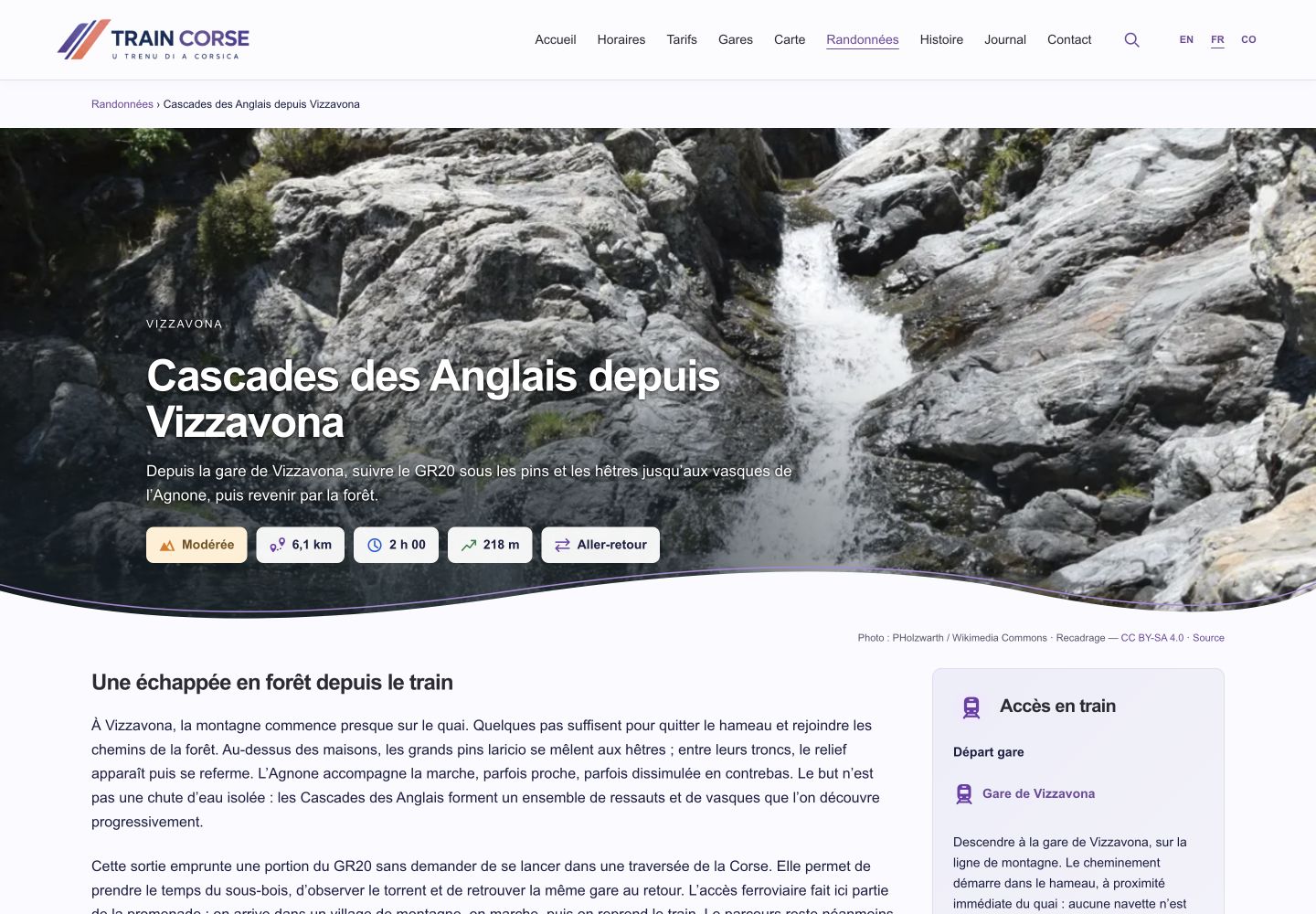

Walking guides that help you plan the whole outing
Each guide takes you from an idea to preparation. Difficulty, distance, duration, elevation gain and route type give you an initial overview. Quick links then take you to the introduction, route description, places to see and practical information. The “Access by train” section identifies the associated stations and, where available, the walk from the station to the route. It also links to timetables and the map. Route descriptions, stages or variants where provided, advice and warnings add detail to your preparations. Finally, galleries and photographs that can be enlarged offer a closer look at the places along the way. These features depend on the information available for each route.
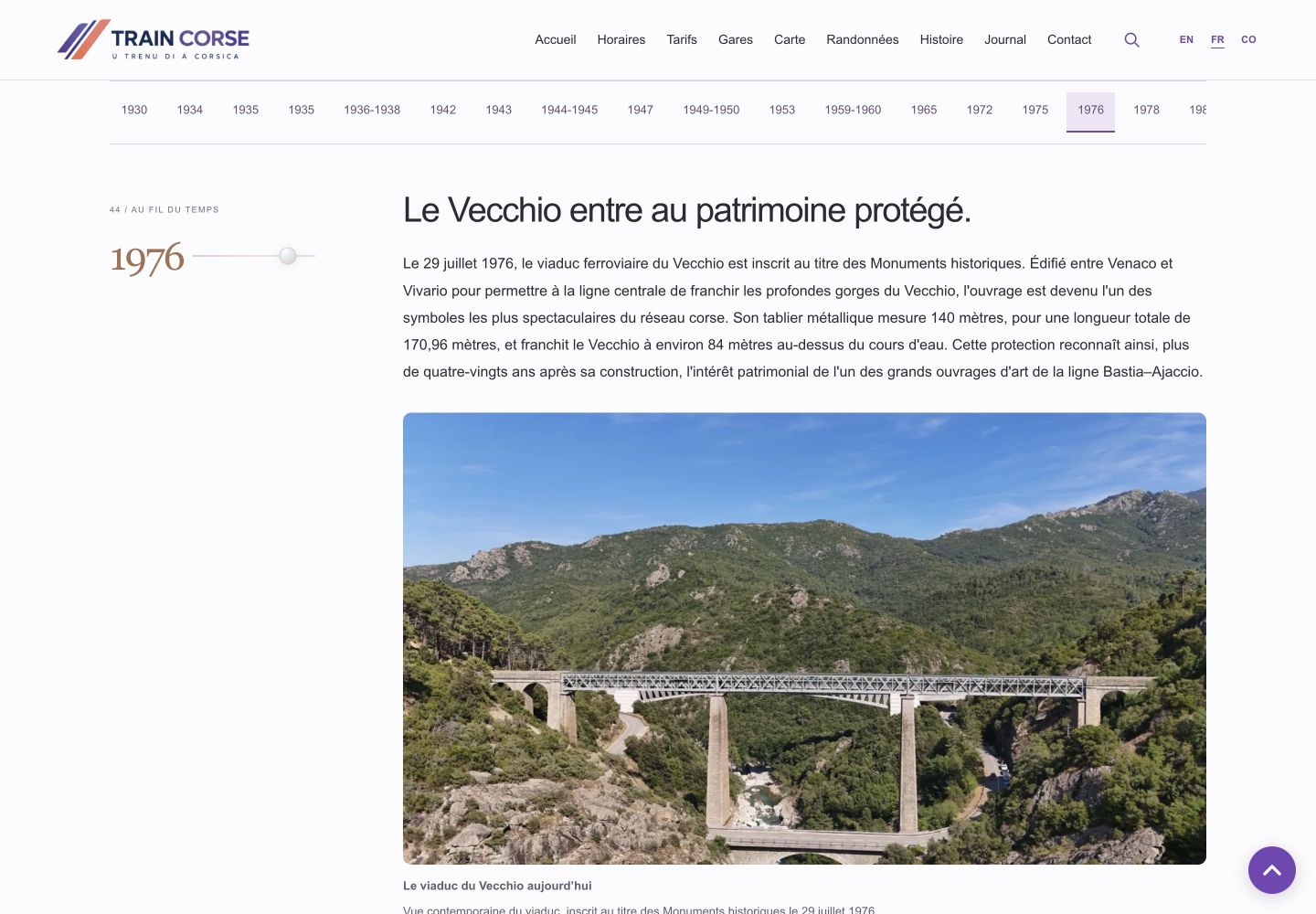
Read the railway’s story or jump to a date
The History section becomes a timeline you can explore at your own pace. Date links take you directly to a period, allowing you to read the full story or jump to an era that interests you. Each event combines its historical context with the available photographs, documents and sources. Follow the railway from its plans and construction to its trains, changes and development. Historic images become part of the story rather than isolated illustrations.
The Journal and its archives: find a subject or revisit an era
The Journal list presents articles with their title, preview and illustration where available. Open a subject that catches your eye or browse the archives by year and month to find an older publication. This provides two ways into the collection: follow recent articles or revisit a moment in the railway’s life.
Use search to find information across the website
Open the search tool through the magnifying glass in the menu. Enter a word, place name or topic to find matching content. For timeline events, results lead to the History page and the relevant period, helping you find a passage without losing its context. Search complements the section menus when you know what you want but are not sure where to find it.
Three languages, from your phone to your computer
The FR, CO and EN controls let you choose French, Corsican or English. The sections and their translated content welcome both residents and visitors. On phones and tablets, menus, information panels and maps have layouts suited to the screen width. Plan a route on your computer, then find the same sections on your phone.
Build your own journey
Try a first itinerary: locate a station on the map, check its upcoming trains, compare your journey fare and explore what might make a worthwhile stop along the way. Or let a photograph draw you into the railway’s past. Train Corse remains an independent, unofficial website, driven by the same passion for the island’s railway. This new version invites you to explore its many sides. Enjoy discovering it, and enjoy your journey!
Screenshots show the French version of the website. Select an image to view it at full size.